
21/10/2026 06:36
Who Can Publish the Repair Demo? YouTube Permissions for Cambodian Leather Shops

Hiring someone to turn workshop footage into a useful YouTube demonstration creates a practical question: what should that person be allowed to do? A Cambodian leather-repair shop may need help trimming footage and checking Khmer captions while keeping repair promises, publication decisions and promotional spending with the owner. Those responsibilities should be settled before access is granted. This guide follows a hypothetical Phnom Penh shop preparing a bag-strap repair video. It explains how to define the editor’s work, choose an appropriate access arrangement, approve the finished demonstration and assess any SMM-panel proposal without confusing purchased engagement with customer demand.
1. Describe the job before choosing access
Start with the finished deliverable. In this hypothetical example, the shop wants a video showing how staff assess a damaged bag strap before deciding whether to repair or replace it. The freelancer will assemble the footage, improve the sound and prepare captions. The owner will confirm the repair explanation and decide when the video is ready. Writing those responsibilities down prevents the broad instruction “manage our YouTube” from becoming permission to change unrelated material.
Ask whether the freelancer actually needs to work inside the channel. Someone who only edits footage can receive selected source files and return an exported video, caption file and thumbnail proposal. The owner can handle uploading. This arrangement is especially useful for a first assignment: the shop can evaluate the editor’s work while keeping the publication process familiar. Channel access becomes a separate decision when the work genuinely requires it.
2. Match the role to the actual task
YouTube channel permissions let collaborators work without sharing the owner’s Google Account login. Editor can upload and publish, but cannot manage permissions or delete published content. Editor (Limited) also excludes revenue data; Viewer (Limited) provides viewing access without revenue data. Manager can manage permissions and delete content. Check the full role table before selecting one. [YouTube channel permissions](https://support.google.com/youtube/answer/9481328?co=GENIE.Platform%3DDesktop&hl=en).
For the hypothetical shop, uploading and revising video details may justify an editing role. Reviewing selected findings may require only a report supplied by the owner. Treat broader access as a decision tied to a named responsibility. A freelancer’s confidence, experience or job title does not explain why they need control over other collaborators. If the available role grants more capability than the shop is comfortable allowing, keep the work outside the channel and have the owner perform the final changes.
3. Invite the intended person and test the assignment
On desktop, open YouTube Studio, then Settings, Permissions and Invite. Enter the collaborator’s email, select the role and complete the invitation. Invitations expire after 30 days. Brand Account users may first need to migrate to channel permissions. [YouTube access instructions](https://support.google.com/youtube/answer/9481328?co=GENIE.Platform%3DDesktop&hl=en).
Confirm the email directly with the freelancer before entering it. Record the person, task, chosen role and planned review date in the project note. Keep that note available to the owner rather than leaving it only in the editor’s messages. Once access is accepted, begin with the agreed demonstration and check that both people are discussing the same channel and video.
Use a small, reversible first task, such as preparing the agreed description for review. Ask the freelancer to report any obstacle precisely. An unclear error should prompt investigation of the task and interface, rather than an immediate upgrade to broader access.
4. Give the editor a repair brief they can use
A strong brief explains what the footage proves. For the bag-strap demonstration, identify the damaged area, the material the repairer has actually assessed and the reason for the chosen method. State whether the bag belongs to the shop or whether its owner has agreed to its appearance. Remove personal labels, receipts and collection details before handing over footage. The editor should not need a customer’s order history to explain a stitch.
Include approved wording for uncertainty. “Bring the bag for an assessment” is different from “every torn strap can be repaired.” Explain any limits concerning replacement parts, colour matching or inspection. For Cambodian customers, also specify the intended language, the shop’s actual service area and the preferred enquiry route. If the video uses an English material name within Khmer speech, supply the spelling and intended meaning so the editor does not guess.

5. Make publication approval a separate step
Create a simple review record containing the video version, proposed title, thumbnail, description and the owner’s response. Review these together because their combined message is what a customer encounters. A careful demonstration can still become misleading when its thumbnail suggests an invisible repair or its title implies a fixed turnaround for every bag. Ask the repairer to check technical meaning and another reader to check whether the customer instructions are understandable.
Use specific approval language: “Approved for publication with the revised inspection note” is clearer than a thumbs-up in a long conversation. Record any remaining change and who will verify it. This is the shop’s working procedure, not a claim that YouTube provides an approval barrier. If the owner needs to control the exact moment of release, arrange the workflow accordingly and avoid assigning publication work before that decision has been made.
6. Separate editing work from SMM-panel proposals
A freelancer may offer promotion alongside editing. Request a separate description of the proposed activity, its destination and the evidence that would demonstrate completion. Permission to prepare a repair video should not quietly become permission to purchase engagement, spend a promotional budget or represent the shop in unrelated discussions. Give each proposed expense its own decision so the owner can understand what is being bought.
The supplied public catalogue includes “YouTube Like ~ Max 50k ~ 50k/days ~ Instant ~ 𝗥𝗘𝗙𝗜𝗟𝗟 30D”. Its title identifies a YouTube-like offering, but the brief supplies no description explaining delivery methods or conditions. Treat the speed, capacity and refill wording as catalogue claims requiring clarification, rather than verified commitments. The name does not establish Cambodian audience origin, genuine interest or platform approval.
YouTube prohibits artificially increasing engagement and warns that a hired promoter’s methods can affect the channel. Reject proposals that rely on artificial inflation. [YouTube fake engagement policy](https://support.google.com/youtube/answer/3399767?hl=en).
7. Define useful promotion before judging results
For the hypothetical repair shop, a useful outcome is an enquiry that contains enough information for the next step. The video might invite someone to send a clear photograph of the damaged strap through the shop’s stated contact route. Explain that a photograph supports an initial discussion and may not replace physical inspection. This gives the editor a concrete communication goal: help viewers understand what to send and what the shop can assess.
Review promotion using separate records for content work, distribution activity and customer enquiries. Note which version was shared, where the shop shared it and what questions arrived. Purchased engagement is not evidence of genuine interest, sales, ad delivery or Cambodian users. Even an authentic enquiry is not yet a completed repair. Keep those distinctions visible when discussing the freelancer’s work, so an attractive public count does not substitute for the business outcome the shop actually needs.
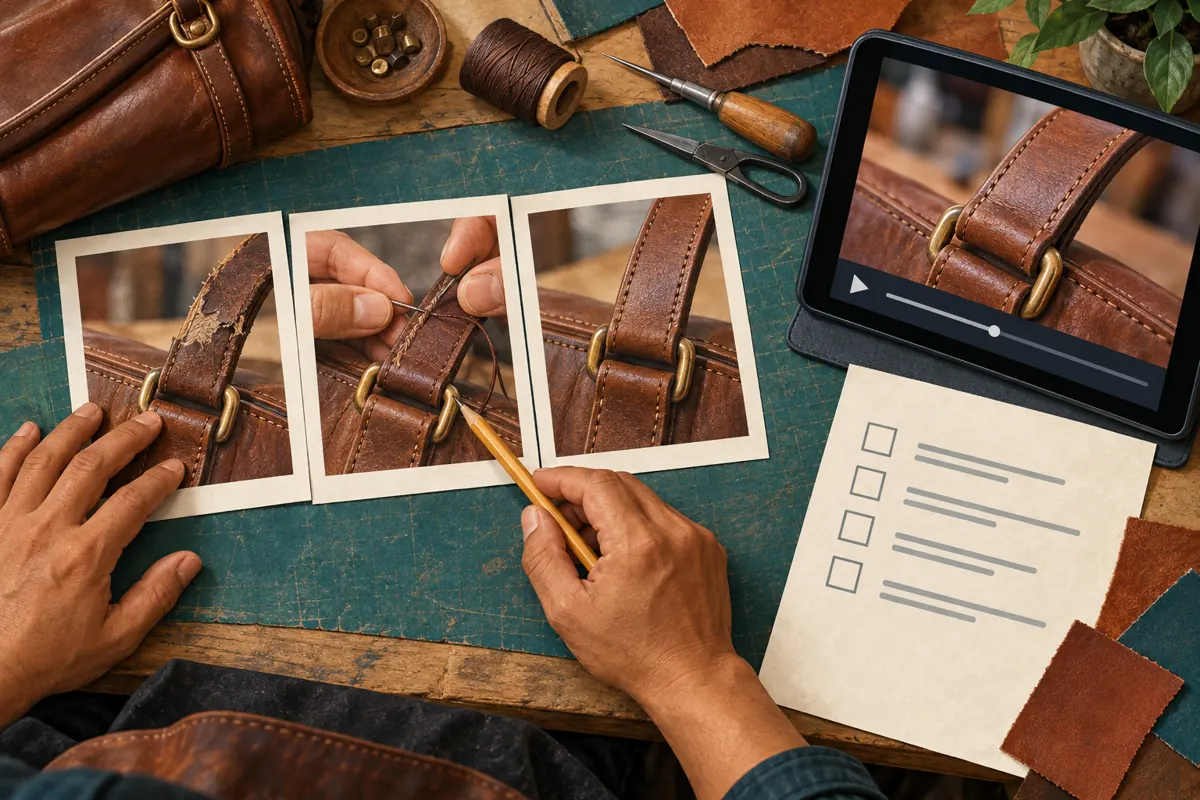
8. Resolve mistakes with a clear correction decision
Common mistakes include assuming that an editing role means draft-only work, granting broad access to avoid diagnosing a problem, and treating a message saying “looks good” as approval of every asset. Another is allowing the freelancer to improvise a price because the owner has not supplied one. Prevent these errors with a short list of decisions that belong to the shop: repair claims, charges, collection arrangements and the publication date.
If the hypothetical video incorrectly says that every strap can be replaced, pause further sharing while the owner checks the wording. Identify where the claim appears: spoken audio, captions, title, thumbnail or description. Agree on the correction and confirm the resulting public message. Record what changed so the next person does not reuse the rejected wording. Where a customer has already relied on the mistake, address their question directly rather than assuming an edited video will reach them.
9. Close the project with files and access accounted for
Before the assignment ends, collect the final export, editable project files if included in the agreement, caption files, thumbnail assets and any usage information for music or other supplied material. Ask for a list of unresolved changes and planned publication activity. Store the approved repair wording with the assets so another editor can understand the work without reconstructing a conversation. Confirm which materials the freelancer may retain or show in a portfolio.
Review whether channel access is still needed. In Studio’s Permissions settings, the owner can change a person’s role or remove access. [YouTube removal instructions](https://support.google.com/youtube/answer/9481328?co=GENIE.Platform%3DDesktop&hl=en).
Removing channel access does not collect files already supplied to someone. That is why asset handover and retention arrangements belong in the project agreement. For recurring work, choose a review date and check whether the next assignment still requires the same responsibilities.
10. Use a short decision process for the next video
Repeat the process by asking three practical questions. Does the collaborator need channel access to complete the task? Can the chosen arrangement support the work without granting responsibility the shop has not agreed to delegate? Is there a named person who will check the final customer promise? If any answer is unclear, narrow the assignment before production begins. This avoids spending time on footage that cannot be confidently approved.
For the hypothetical shop’s next zipper-repair demonstration, the owner might keep the same freelancer but change the workflow. If the previous project showed that uploading took little effort while Khmer technical wording needed more attention, spend the next brief on accurate explanations and keep uploading with the owner. Choose access around the work that needs doing. A productive relationship can involve extensive creative collaboration while retaining a simple, deliberate publication process.

Frequently asked questions
Should a freelancer who only cuts footage receive channel access?
Usually the task can be completed through a file handover. Supply the selected footage and brief, then request an export and the agreed supporting assets. Consider channel access only when there is a specific task inside the channel. This also makes it easier to judge whether the first assignment meets the shop’s expectations.
How should the shop handle Khmer wording when the editor is more comfortable in English?
Provide approved Khmer wording with an explanation of technical terms, then have a fluent reviewer check the finished video in context. A sentence can be grammatically clear but still promise more than the repairer intended. Pay particular attention to material names, repair limitations and the difference between requesting an assessment and confirming a job.
Does a panel service title prove that a promotion method is suitable?
No. A title can identify the advertised activity, but it does not establish how that activity is delivered or whether it complies with platform rules. In this brief, the relevant service has no supporting description. Do not fill those gaps with assumptions about audience location, real customers, advertising delivery or guaranteed results.
What should the owner review if the video attracts views but few useful enquiries?
Check whether viewers can understand the repair offered, its limits and the next step. Review whether the contact instructions ask for information customers can realistically provide. Read actual questions for signs of confusion. Avoid concluding that a larger engagement count would solve an unclear offer; improve the explanation and assess subsequent enquiries separately.
Can the same freelancer return for another project after access is removed?
Plan the next assignment as a fresh scope decision. Reuse the approved briefing format and existing assets where appropriate, then decide what access the new work requires. Ending unnecessary access need not end the relationship. A documented handover helps both sides resume work without relying on old assumptions.
Explore the current service catalogue, create an account, or ask a specific question through support tickets.
- YouTube Help: Add or remove access to your YouTube channel with channel permissions
- YouTube Help: Fake engagement policy
Prepared with AI assistance. Illustrations explain the workflow and do not represent customer results.